
Home » News
How to install mods in City Car Driving and make the game feel more realistic
One of the biggest reasons City Car Driving has remained popular among driving simulation fans is its strong modding community.
While the base game already offers realistic traffic systems, weather effects, and vehicle handling, many players eventually want more variety. Installing mods can completely change the experience by adding new cars, real-world vehicle models, improved interiors, physics tweaks, maps, and visual improvements.
If you are wondering how to install mods in City Car Driving safely and correctly, this guide covers everything you need to know.
Why Players Install Mods in City Car Driving
Mods are popular because they make the game feel significantly more personalized.
Many players use them to:
For players practicing realistic driving or simply wanting more variety, mods can make City Car Driving feel almost like a completely different simulator.
Find Mods From Reliable Sources
Before downloading anything, it is important to choose trusted websites or community pages.
Poorly made files or outdated mods can sometimes cause crashes or compatibility problems.
When searching for City Car Driving mods, always check:
Downloading random files without checking compatibility is one of the biggest reasons mods fail to work.
How to Install Mods in City Car Driving
Most City Car Driving mods follow a relatively simple installation process.
Step 1: Download the Mod File
Most vehicle mods come in compressed files such as ZIP or RAR formats.
After downloading, extract the files to an easy-to-find folder.
Step 2: Locate Your Game Folder
Open your City Car Driving installation directory.
For most Steam users, the location is usually:
Steam > steamapps > common > City Car Driving
This folder contains the files where mods are typically installed.
Step 3: Use the Mod Installer if Available
Many modern City Car Driving vehicle mods include an automatic installer.
If included:
This is often the easiest and safest method.
Step 4: Launch the Game and Test the Mod
After installation, open City Car Driving and check whether the new content appears correctly.
If a car mod was installed successfully, it should appear in the vehicle selection menu.
Before starting long driving sessions, spend a few minutes testing:
Some older mods may require additional adjustments to work smoothly.
Common Problems When Installing Mods
If a mod does not work correctly, the issue is usually one of the following:
Wrong Game Version
Many older mods stop functioning after game updates.
Always confirm compatibility before downloading.
Incorrect Installation Folder
Installing files in the wrong directory is one of the most common mistakes.
Double-check that the mod files are placed inside the correct City Car Driving folders.
Conflicting Mods
Sometimes two mods modify the same files and create crashes or missing content.
If problems appear after multiple installations, try disabling mods one by one.
Interestingly, many long-term City Car Driving players eventually build separate setups for different experiences—one for realistic driving practice, another for modded free driving. This is partly why some players occasionally browse platforms like z2u.com for City Car Driving Accounts, especially when experimenting with alternative progress progressions, unlocked garages, or different save setups.
Final Thoughts
Installing mods in City Car Driving is one of the best ways to expand the game and make driving feel more realistic.
Whether you want better vehicles, more immersion, or simply new driving experiences, mods can significantly improve what the game offers.
The key is staying patient, downloading from reliable sources, and always checking compatibility before installation. Once everything works properly, City Car Driving becomes an even deeper and more rewarding driving simulator.
While the base game already offers realistic traffic systems, weather effects, and vehicle handling, many players eventually want more variety. Installing mods can completely change the experience by adding new cars, real-world vehicle models, improved interiors, physics tweaks, maps, and visual improvements.
However, for new players, installing mods in City Car Driving can feel confusing at first, especially because not every mod uses the same installation process.
If you are wondering how to install mods in City Car Driving safely and correctly, this guide covers everything you need to know.
Why Players Install Mods in City Car Driving
Mods are popular because they make the game feel significantly more personalized.
Many players use them to:
- Add realistic cars from brands like BMW, Audi, Mercedes, or Toyota
- Improve graphics and lighting
- Expand vehicle interiors and dashboards
- Test different driving experiences
- Add realism to traffic or weather systems
For players practicing realistic driving or simply wanting more variety, mods can make City Car Driving feel almost like a completely different simulator.
Find Mods From Reliable Sources
Before downloading anything, it is important to choose trusted websites or community pages.
Poorly made files or outdated mods can sometimes cause crashes or compatibility problems.
When searching for City Car Driving mods, always check:
- Whether the mod supports your current game version
- User reviews or community feedback
- Installation instructions provided by the creator
- Whether additional tools are required
Downloading random files without checking compatibility is one of the biggest reasons mods fail to work.
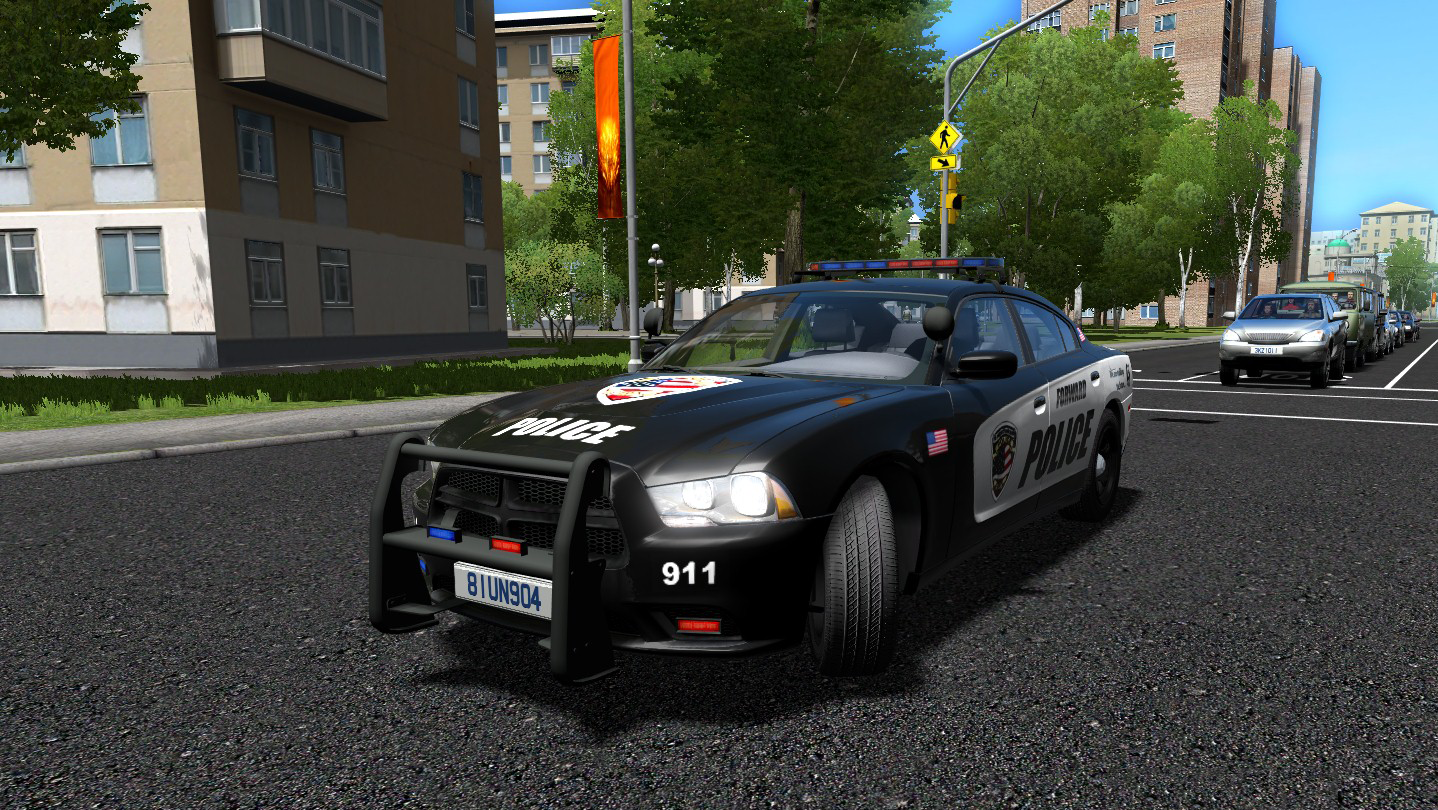
How to Install Mods in City Car Driving
Most City Car Driving mods follow a relatively simple installation process.
Step 1: Download the Mod File
Most vehicle mods come in compressed files such as ZIP or RAR formats.
After downloading, extract the files to an easy-to-find folder.
Step 2: Locate Your Game Folder
Open your City Car Driving installation directory.
For most Steam users, the location is usually:
Steam > steamapps > common > City Car Driving
This folder contains the files where mods are typically installed.
Step 3: Use the Mod Installer if Available
Many modern City Car Driving vehicle mods include an automatic installer.
If included:
- Launch the installer
- Select your City Car Driving folder
- Follow the setup instructions
- Wait for installation to finish
This is often the easiest and safest method.
Step 4: Launch the Game and Test the Mod
After installation, open City Car Driving and check whether the new content appears correctly.
If a car mod was installed successfully, it should appear in the vehicle selection menu.
Before starting long driving sessions, spend a few minutes testing:
- Vehicle handling
- Dashboard functions
- Mirrors and camera angles
- Compatibility with traffic systems
Some older mods may require additional adjustments to work smoothly.
Common Problems When Installing Mods
If a mod does not work correctly, the issue is usually one of the following:
Wrong Game Version
Many older mods stop functioning after game updates.
Always confirm compatibility before downloading.
Incorrect Installation Folder
Installing files in the wrong directory is one of the most common mistakes.
Double-check that the mod files are placed inside the correct City Car Driving folders.
Conflicting Mods
Sometimes two mods modify the same files and create crashes or missing content.
If problems appear after multiple installations, try disabling mods one by one.
Interestingly, many long-term City Car Driving players eventually build separate setups for different experiences—one for realistic driving practice, another for modded free driving. This is partly why some players occasionally browse platforms like z2u.com for City Car Driving Accounts, especially when experimenting with alternative progress progressions, unlocked garages, or different save setups.
Final Thoughts
Installing mods in City Car Driving is one of the best ways to expand the game and make driving feel more realistic.
Whether you want better vehicles, more immersion, or simply new driving experiences, mods can significantly improve what the game offers.
The key is staying patient, downloading from reliable sources, and always checking compatibility before installation. Once everything works properly, City Car Driving becomes an even deeper and more rewarding driving simulator.
To Buy Fifa Coins you can find from http://www.f14c.com
Quick Buy


Hot Tag

